



Guide to Creating an Account
Creating an Account on the Login Page
On Desktop
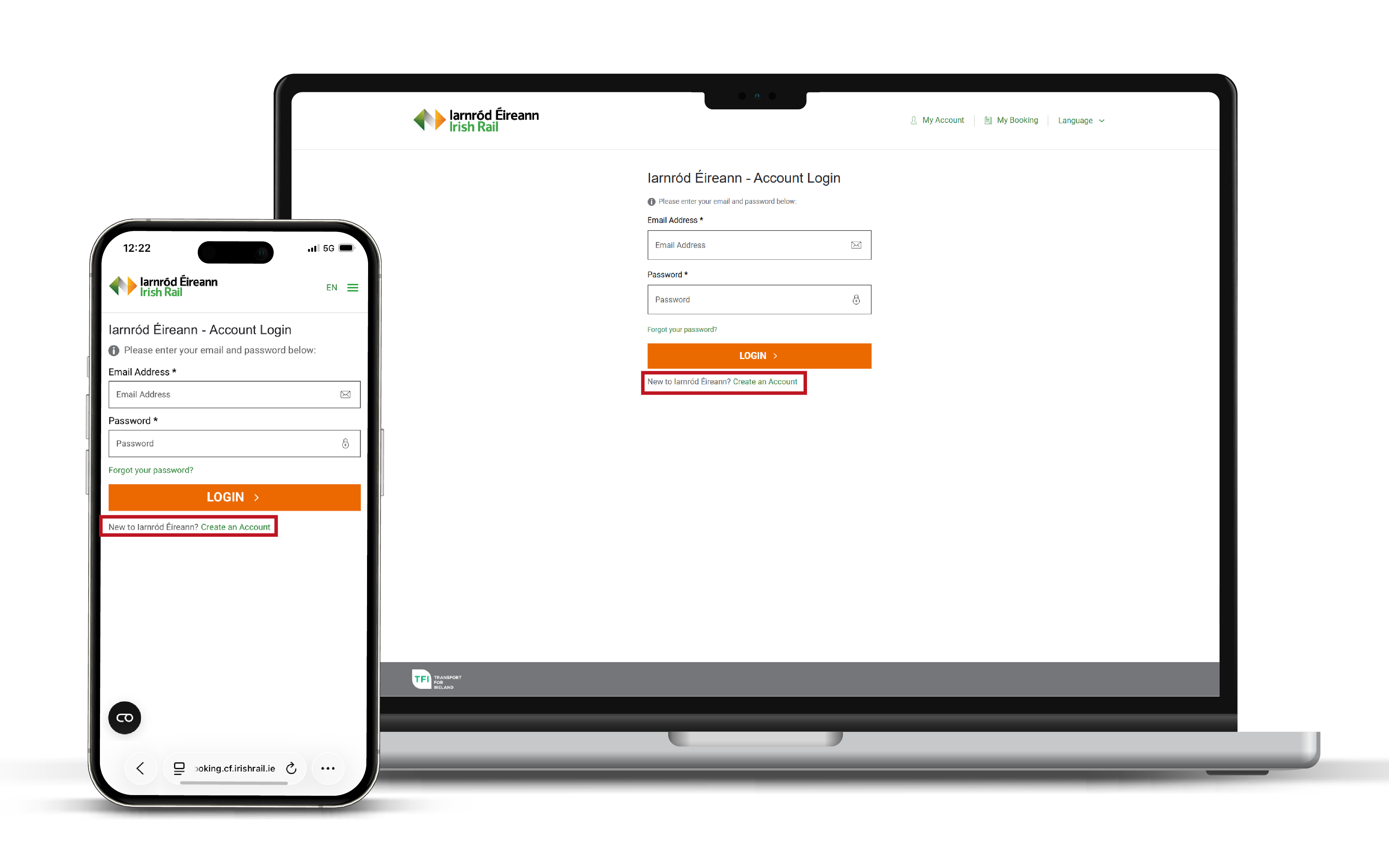
Step 1: Create an Account - The ‘Create an Account’ option can be found on the ‘Login’ page, once clicked you will be brought to the next step.
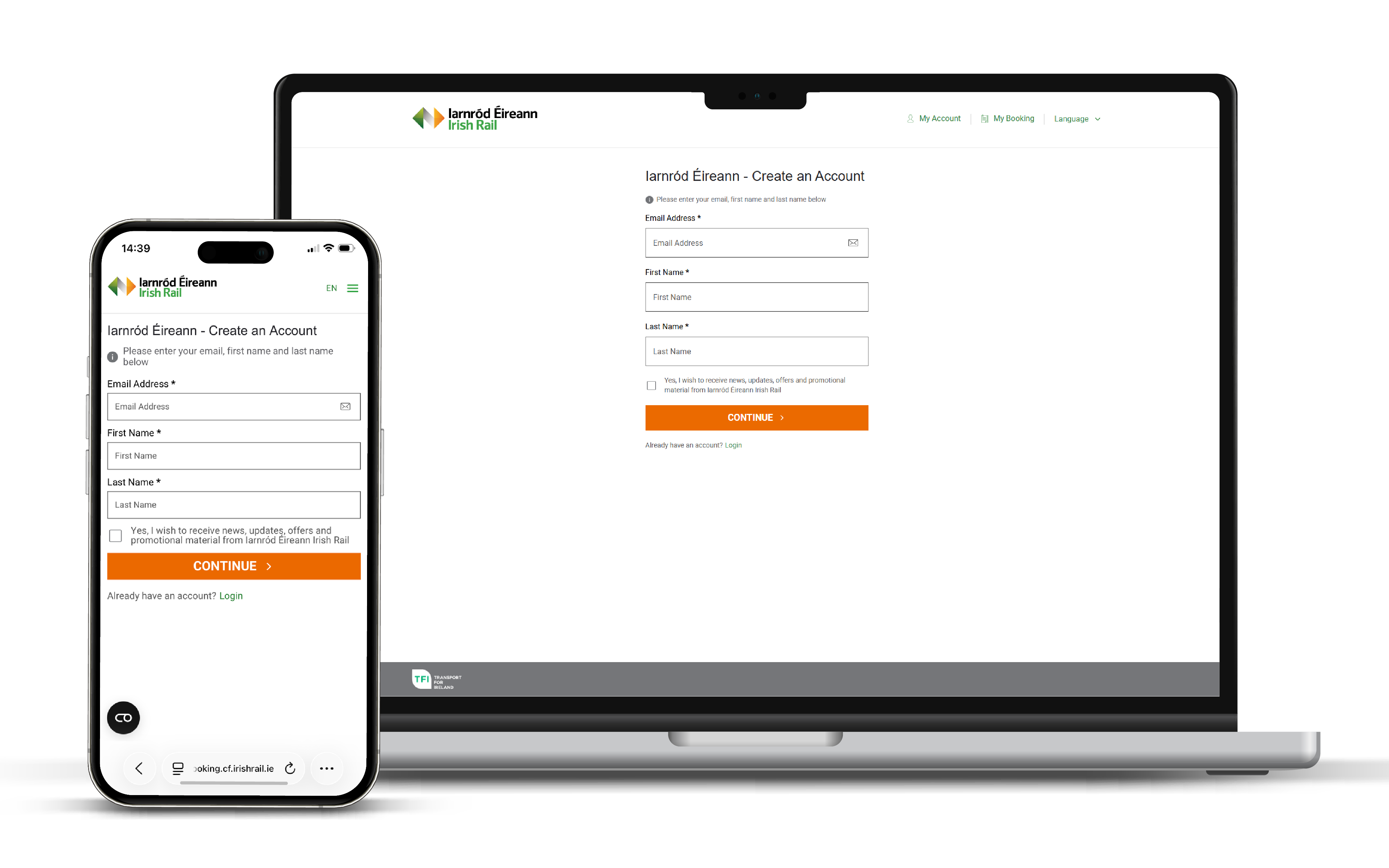
Step 2: Customer Details - Fill in your details, please ensure your email address is correct before proceeding.
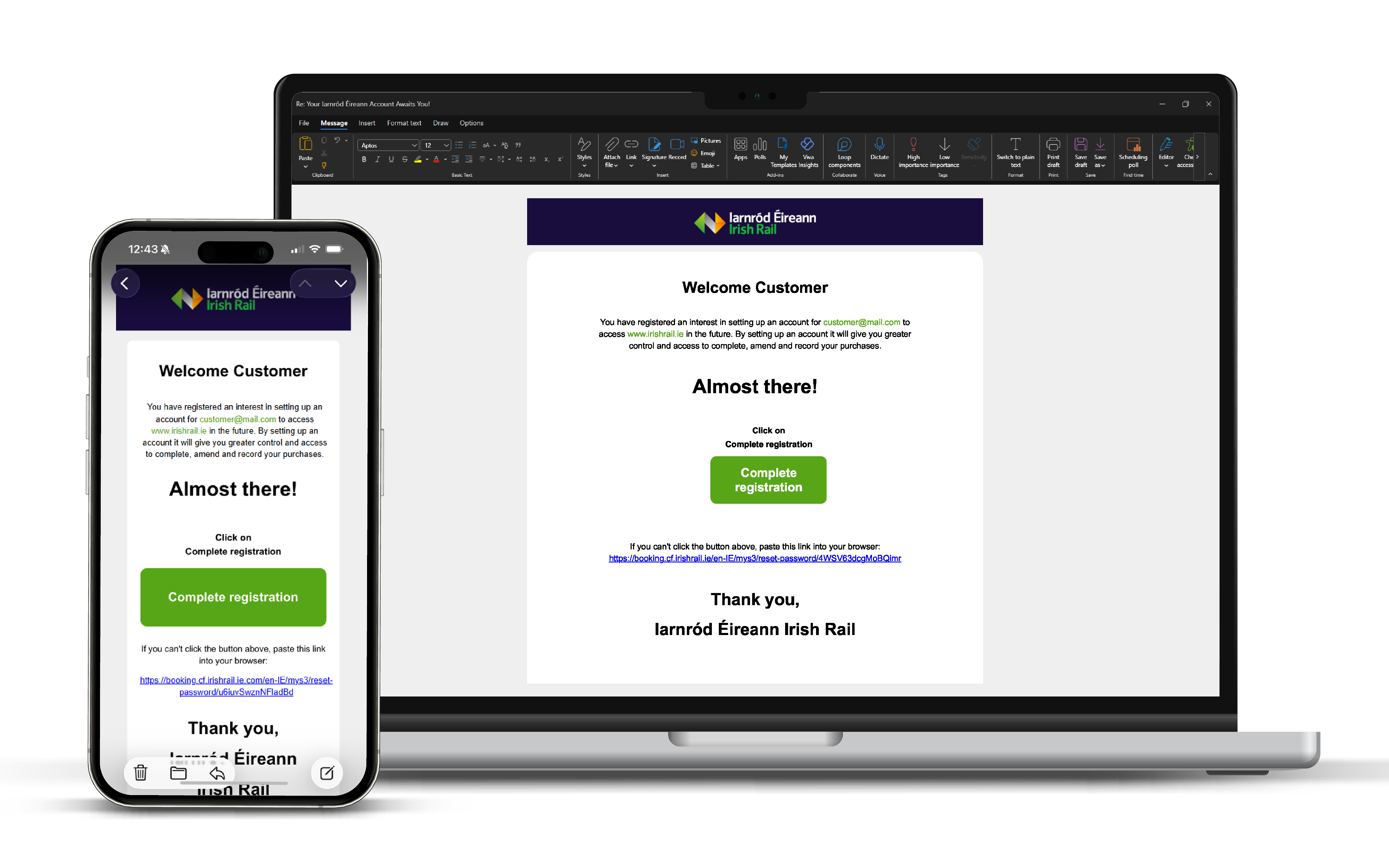
Step 3: Complete Registration - An email will be sent to you. Please click ‘Complete Registration’ within the email, which will bring you to a browser to create a new password.
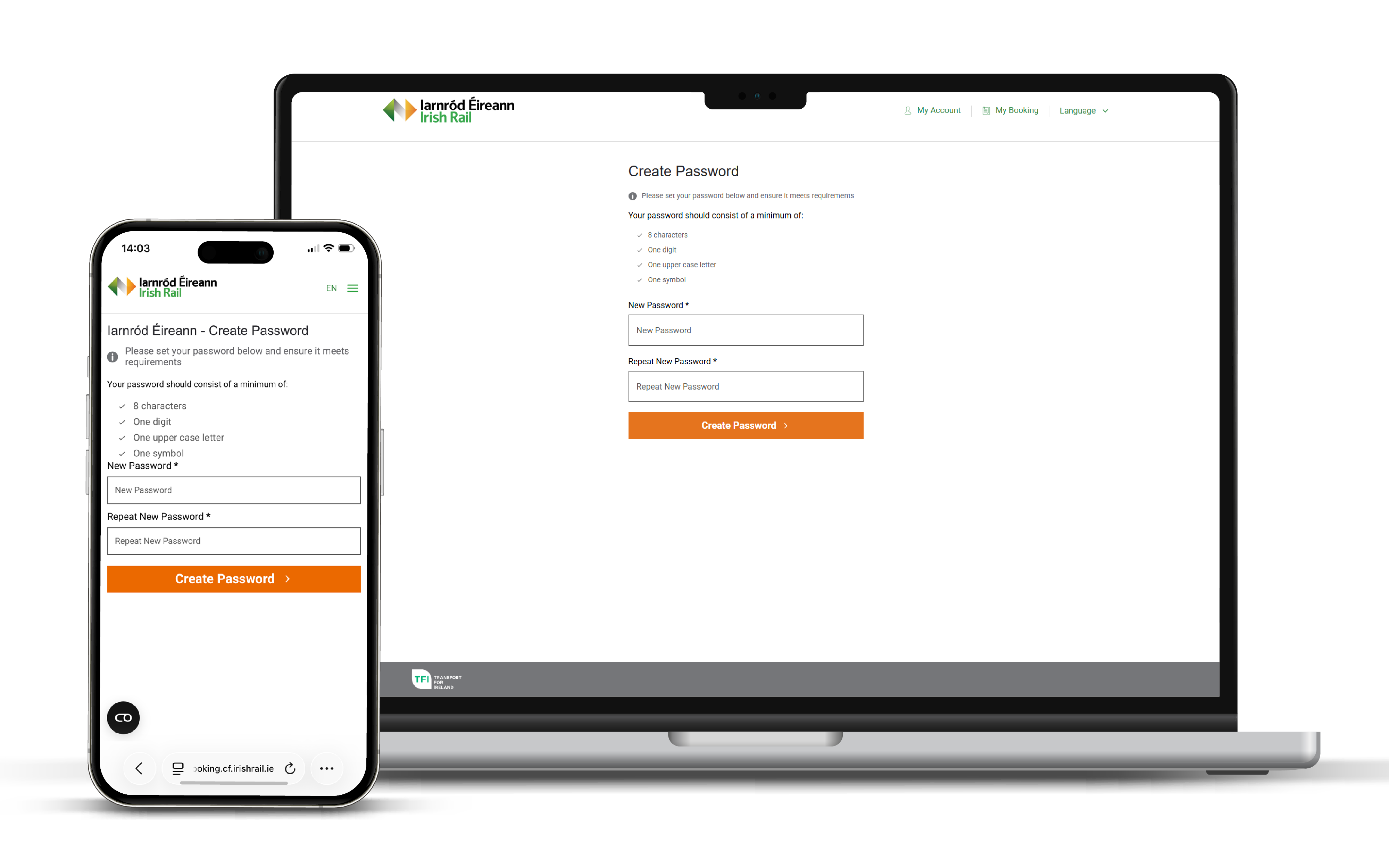
Step 4: Create Password - Following the link received in your email you will be brought to a page to create a password. Ensure your password meets all requirements and complete the setup of your account.
Once your password is set you can log in to your account, where you will be directed to the Homepage of ‘My Account’.
Here you will be able to book your rail ticket, search for bookings, see account details, news and special offers etc.
On Mobile
Step 1: Create an Account - Select the hamburger menu ☰ located in the top right and click the ‘Login’ option. The ‘Create an Account’ option can be found on the ‘Account Login’ page, once clicked you will be brought to the next step.
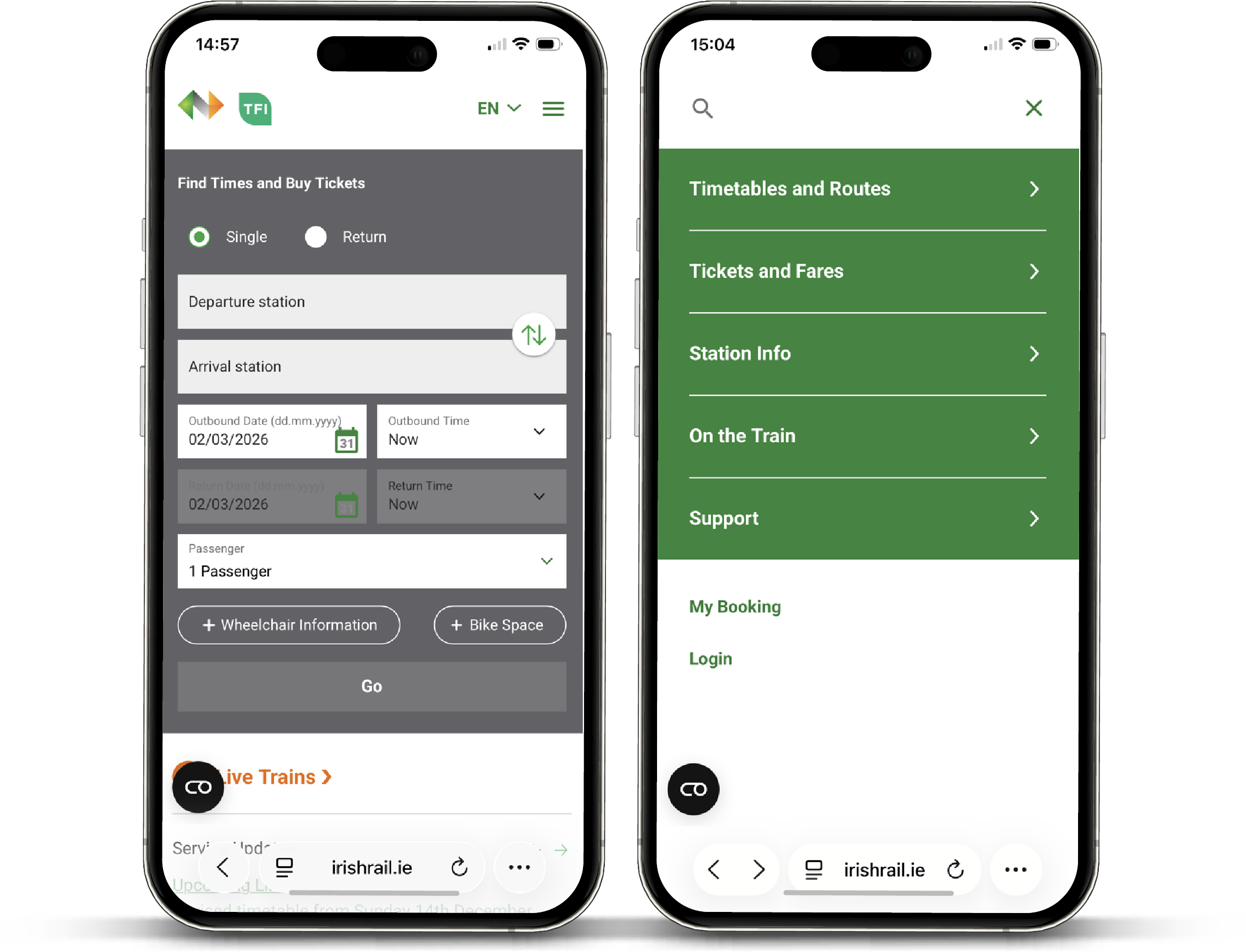
See 'Step 2: Customer Details' above to continue seeting up your account.
Creating an Account when Making a Booking
- Step 1 - Book a journey on the Iarnród Éireann Irish rail Journey Planner, selecting your journey details as normal.
- Step 2 - During the booking process you will be brought to the Account page. Here you will be given the choice to either Login with your Iarnród Éireann Irish Rail account or 'Proceed as Guest'. Click 'Proceed as Guest'.
- Step 3 - Enter your customer details as normal. Below this there are three checkboxes. The second of which is 'Yes, I wish to create an Iarnód Éireann account', tick this box to create an account with email address provided.
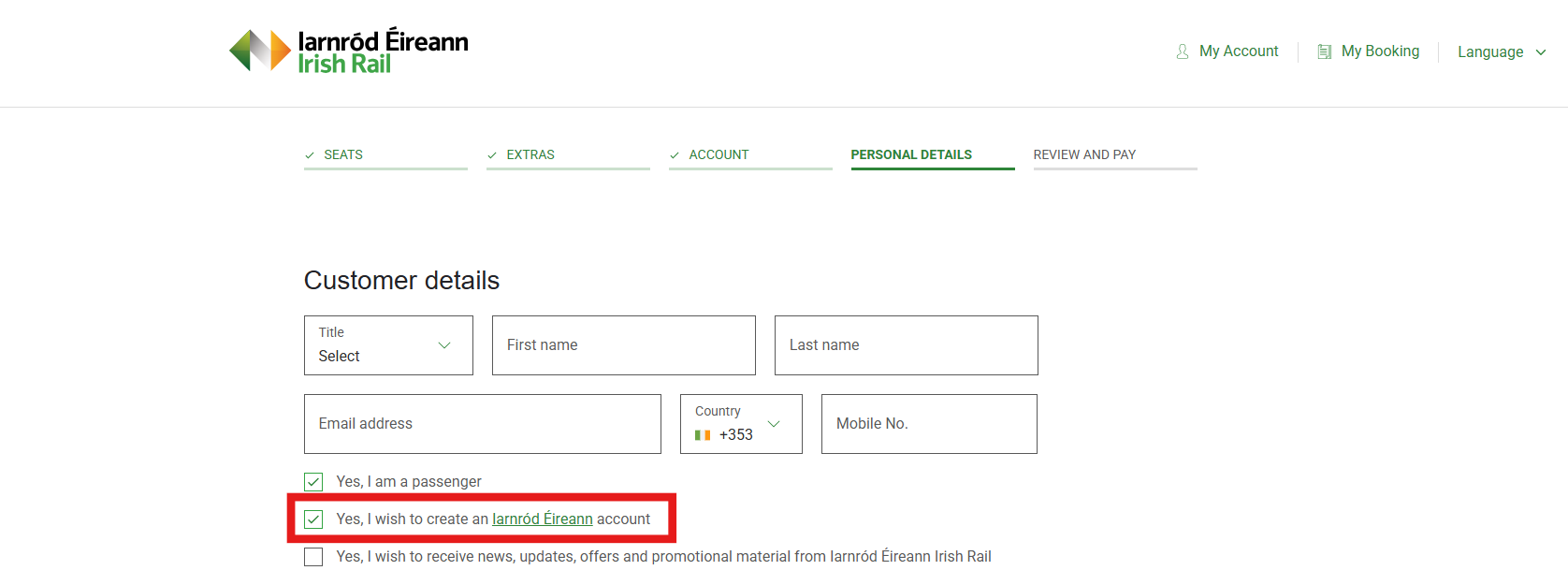
- Step 4 - Complete your online booking as normal.
- Step 5 - You will receive an email with a link to complete your account setup, see 'Step 3: Complete Registration' above and continue through the steps to complete your account setup.