



Amending and Cancelling an Online Rail Ticket
You can amend or cancel your ticket in line with applicable rules. See Online Tickets Terms and Conditions for more.
All online tickets are only valid on service(s) booked. You can only amend or cancel your ticket prior to travel and where the ticket(s) have not been printed or scanned. Once a ticket has been printed, no further changes can be made to your reservation.
Guide on How to Amend Online Booking
Using an Iarnród Éireann Account
To cancel or amend your booking
On Desktop
- Log into 'My Account'
- Select 'Booking History' from the menu on the left
- Select the booking you wish to amend
- Choose from one of the available options applicable to the ticket or fare purchased at the top of the screen and following the steps on screen
On Mobile
- Log into 'My Account'
- Select 'Booking History' from the options on the 'My Account Home' page or using the hamburger menu ☰ located in the top right
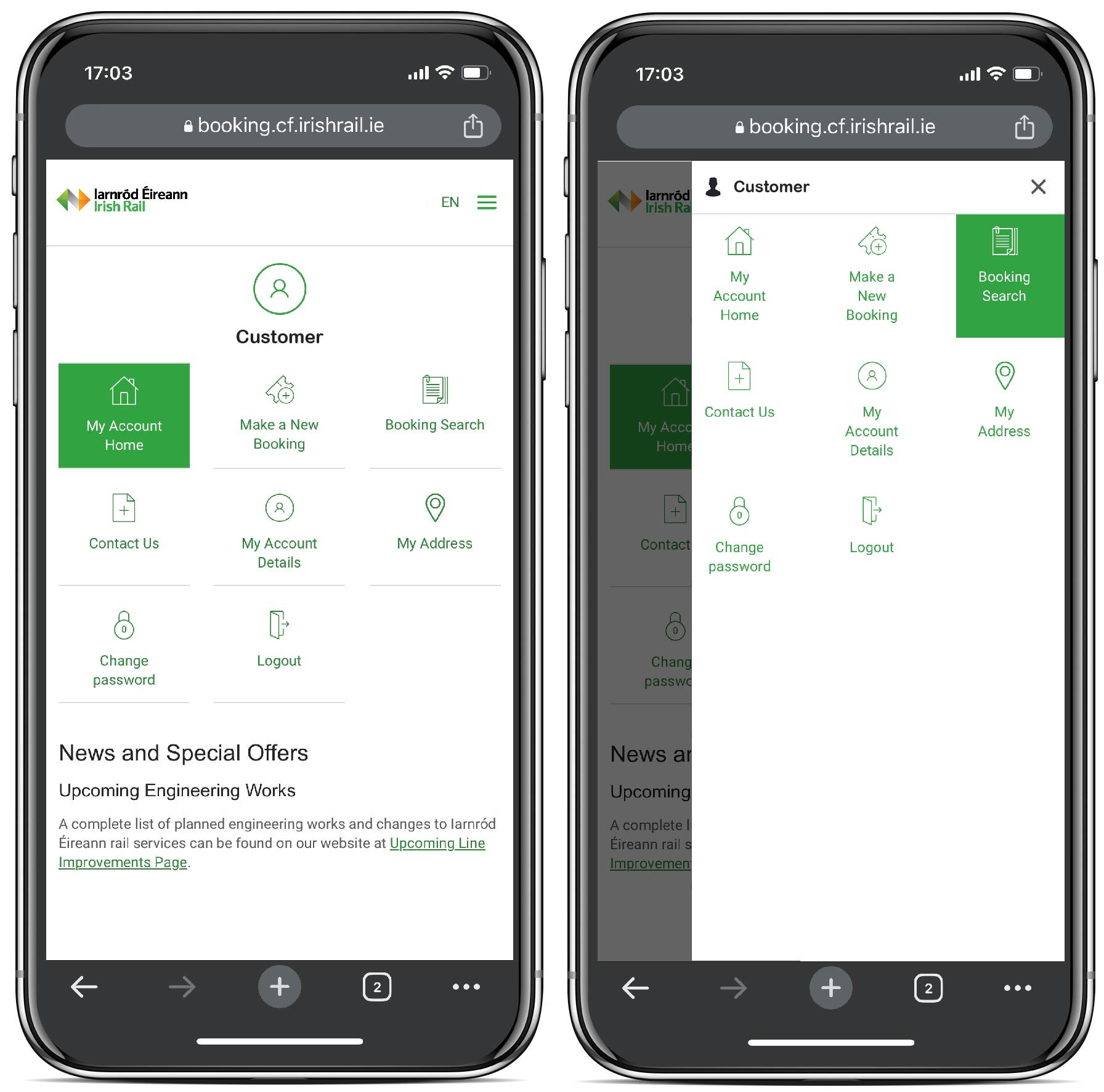
- Select the booking you wish to amend
- Choose from one of the available options applicable to the ticket or fare purchased using the 'Manage Booking' button on the top right and following the steps on screen
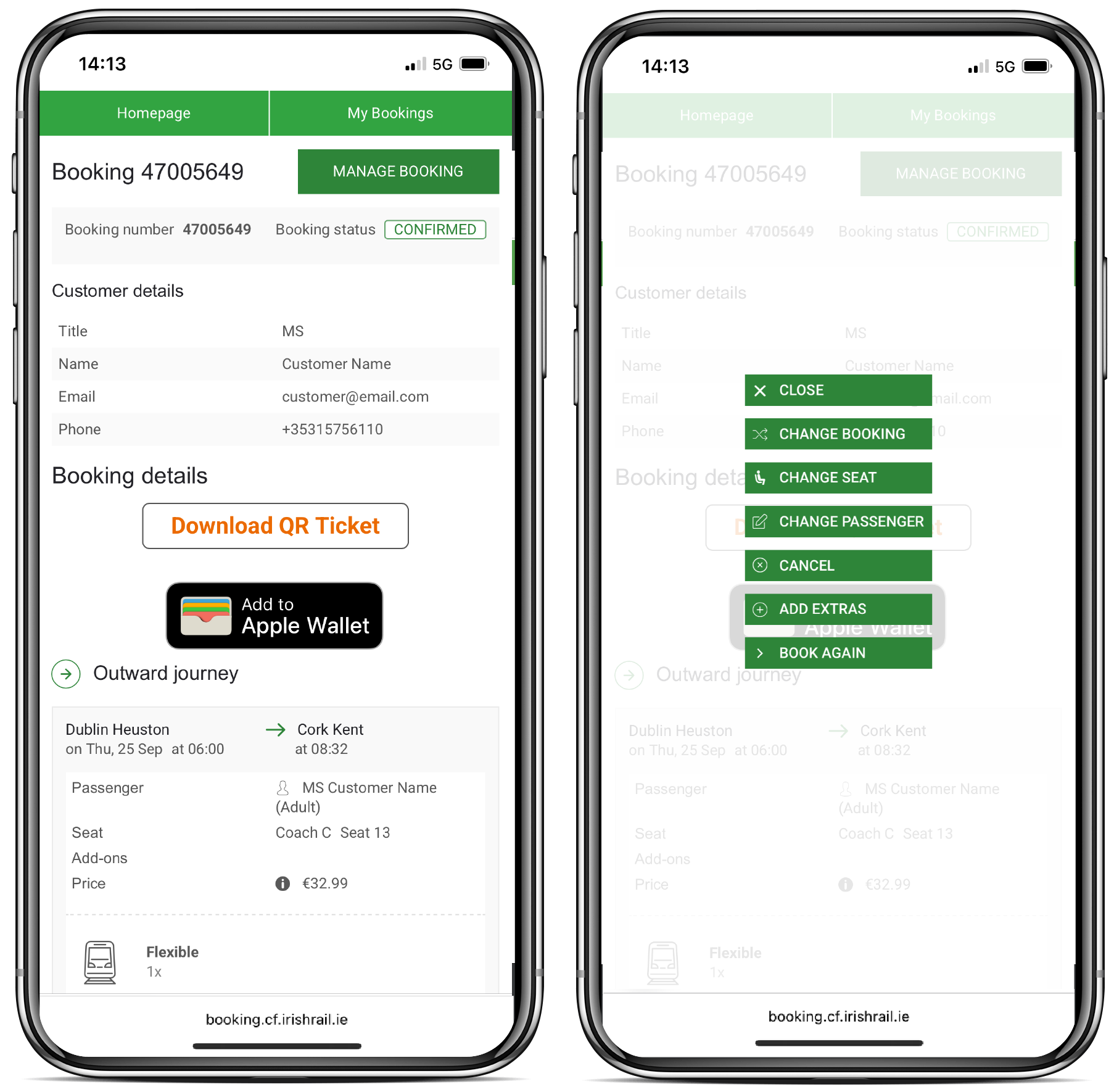
Don't have an account?
If you don't have an account, you can access your booking through 'Manage My Booking' at the top of the page. Enter your details to see your booking and follow step 4 above.
Issues accessing My Booking
If you are having issues logging in to amend or view your booking;
Make sure you enter the right Booking Reference number when accessing 'My Booking'. Your booking reference number is 8 digits. It usually begins with 7. Your Ticket Collection Number is 11 digits. It is used to collect your ticket from Ticket Machines in stations. Example booking number: "75678978"
Please ensure the email address is the one used when you made the booking.
Unable to Amend or Cancel Online Booking
If you are unable to cancel your online ticket there could be a number of reasons;
- Collect at Ticket Machine-You can not amend your ticket after you have collected it from a ticket machine.
- Download QR Ticket(s)- You can amend or cancel your journey if the ticket has not been validated (ie scanned at a validator in a station or by a staff member on board a service), subject to Ticket Terms and Conditions.
- You have a 'Low Fare' ticket, you can not amend or cancel it within 48 hours of travel
- You have a 'Medium' ticket you can not amend or cancel it within 24 hours of travel
- You have a 'Full' ticket you can not amend or cancel it within 60 minutes of travel
For full terms and conditions on bookings, go to our Online Tickets Terms and Conditions section.
For queries or assistance, please contact us.