


Treoir maidir le do Sheoladh Ríomhphoist Chuntais a chur in eagar
Gheobhaidh tú thíos na céimeanna chun do sheoladh ríomhphoist a chur in eagar nó a athrú ar do Chuntas Iarnród Éireann - Irish Rail.
Céim 1: Logáil Isteach agus Sonraí mo Chuntas : Logáil isteach i do Chuntas Iarnród Éireann - Irish Rail agus roghnaigh ‘Sonraí mo chuntas’.
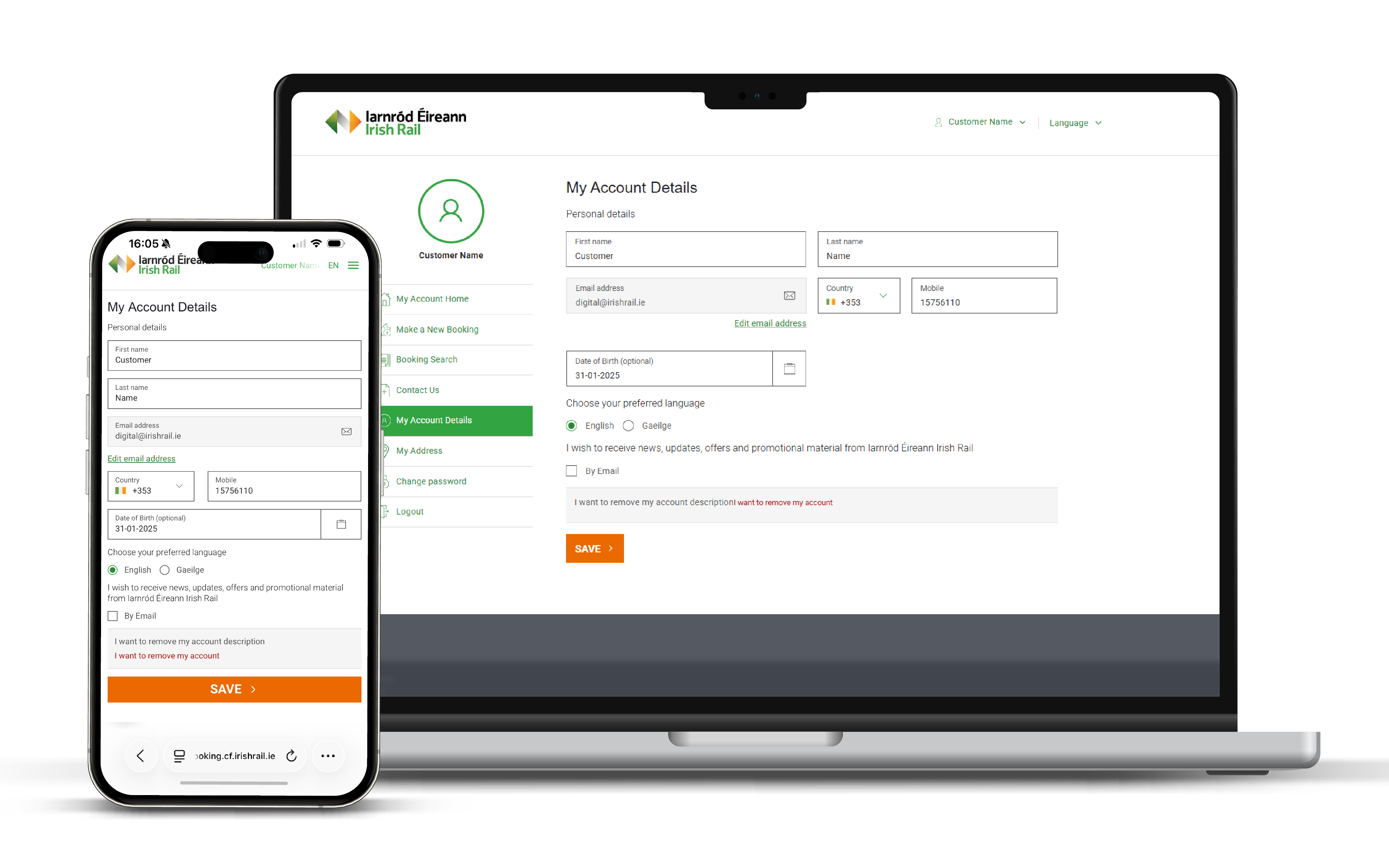
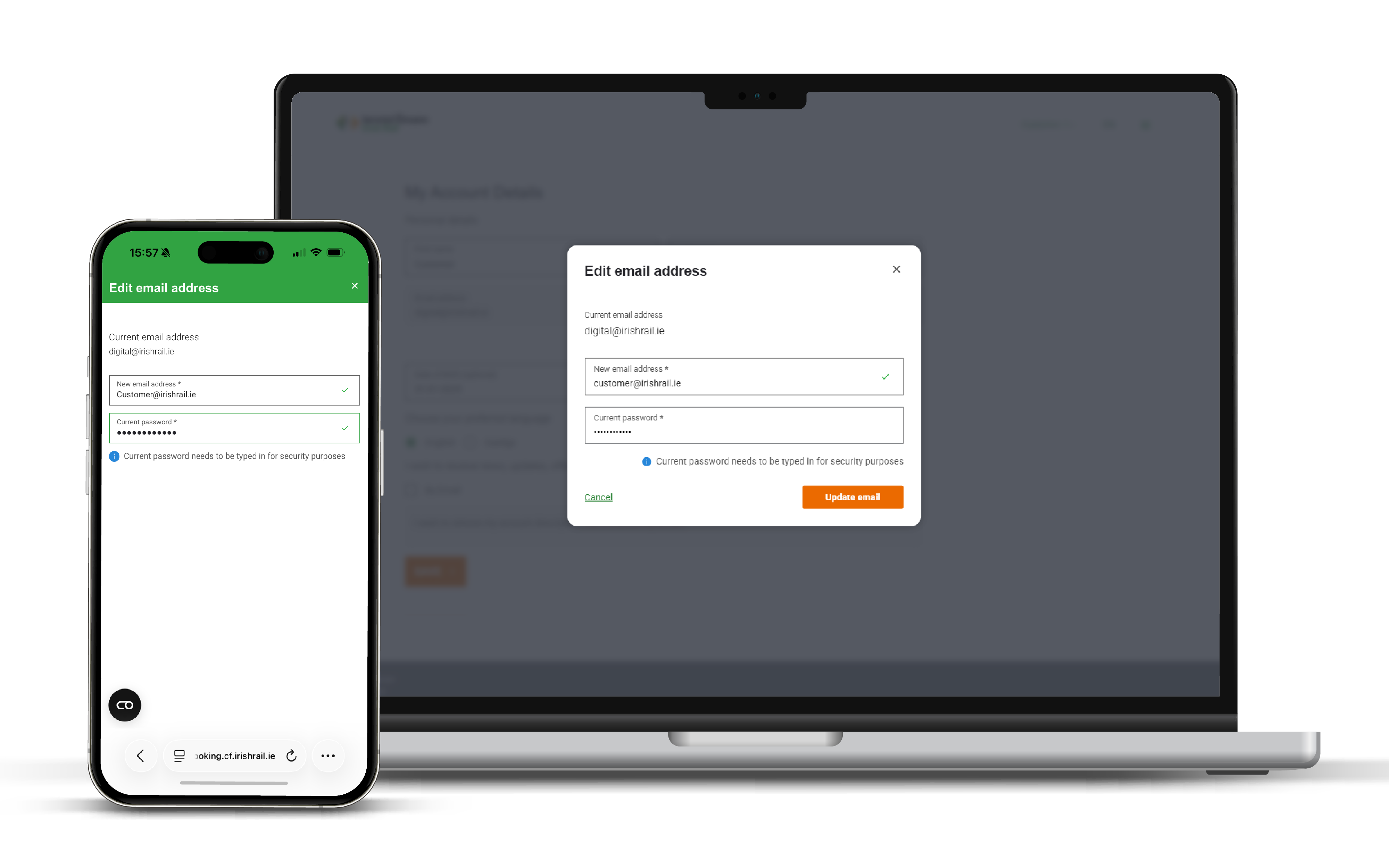
Céim 2: Cuir seoladh ríomhphoist in eagar: Roghnaigh ‘Sonraí mo Chuntas’ agus cliceáil ar ‘Cuir seoladh ríomhphoist in eagar’. Cuir isteach do sheoladh ríomhphoist nua, do phasfhocal reatha agus cliceáil ar ‘Ríomhphost a Nuashonrú’.
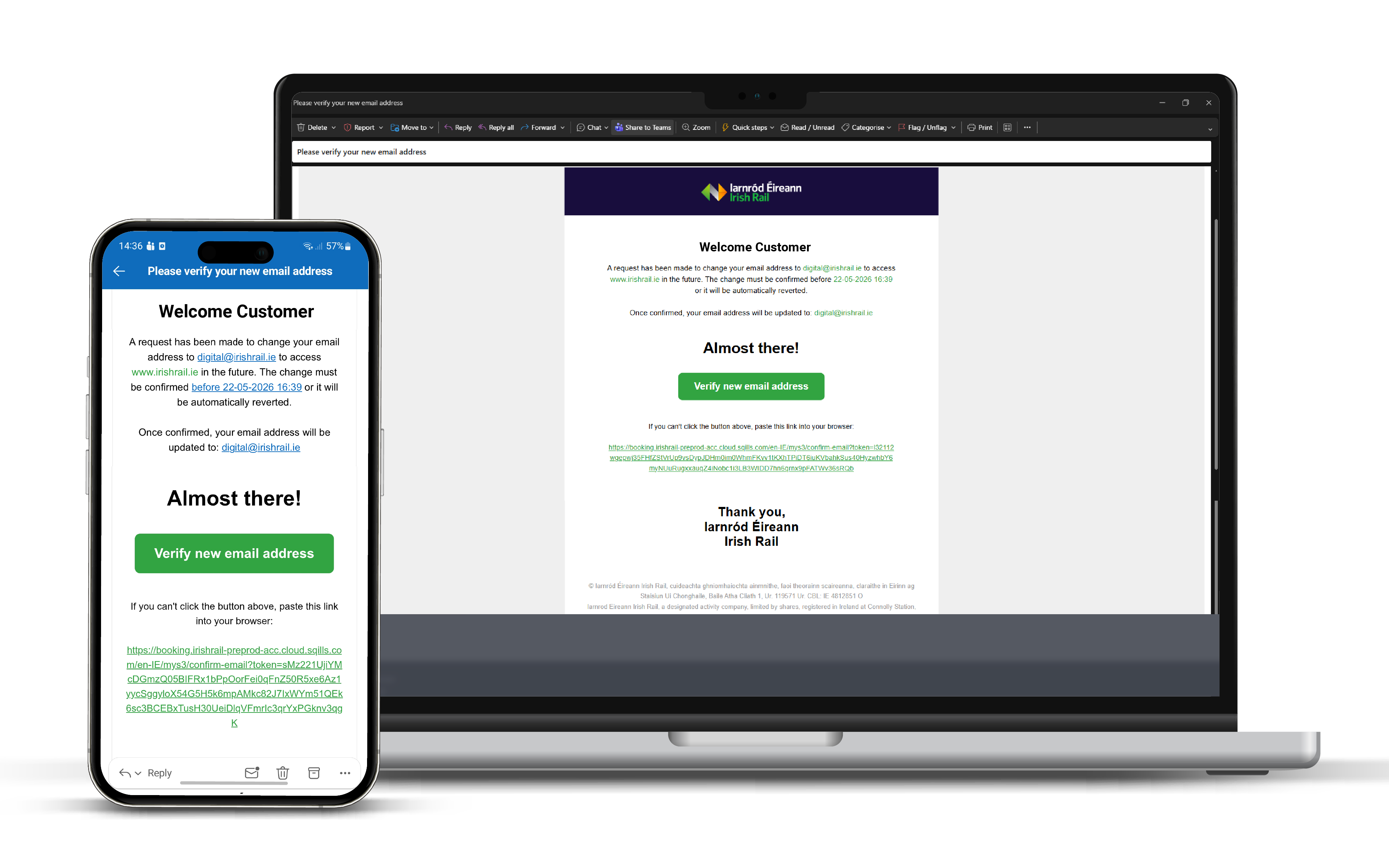
Céim 3: Fíorú ar sheoladh ríomhphoist nua: Seolfar ríomhphost chuig do sheoladh ríomhphoist nua. Cliceáil ar ‘Fíoraigh seoladh ríomhphoist nua’ laistigh den ríomhphost, rud a thabharfaidh chuig an logáil isteach thú. Leathanach. Seolfar ríomhphost ina gcuirfear an t-athrú sin in iúl freisin chuig an seoladh ríomhphoist a bhí ann roimhe seo.
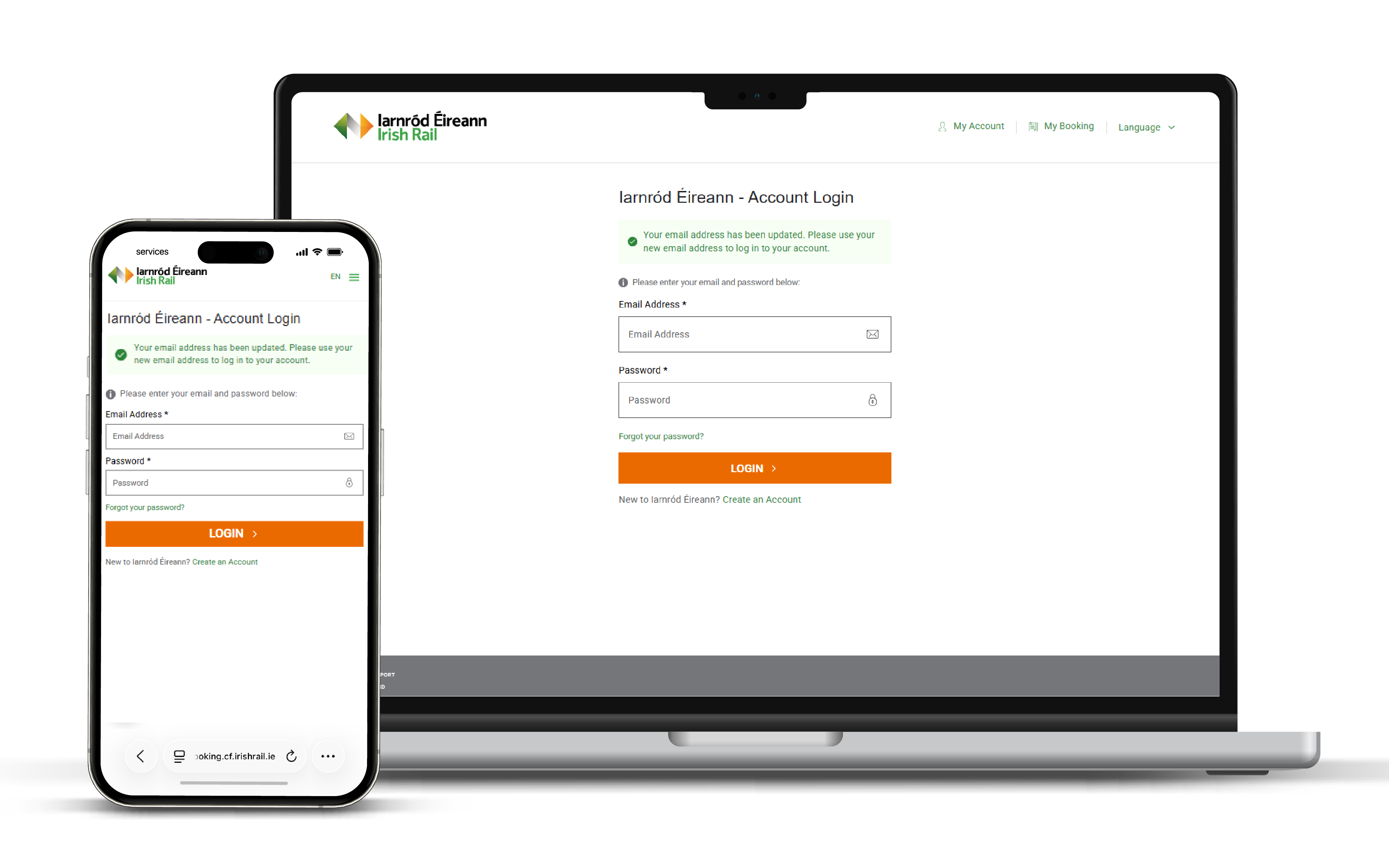
Céim 4: Logáil isteach le do sheoladh ríomhphoist nua: Tar éis an nasc a fhaightear i do ríomhphost tabharfar chuig an leathanach logála isteach thú. Cinntigh go gcuireann tú isteach an seoladh ríomhphoist nua agus pasfhocal do chuntais chun logáil isteach i do chuntas.